Using Signed Distance Functions to Create a Bullet Hell Game
Article | February 22, 2026 | Tags: Godot, C#, GLSL
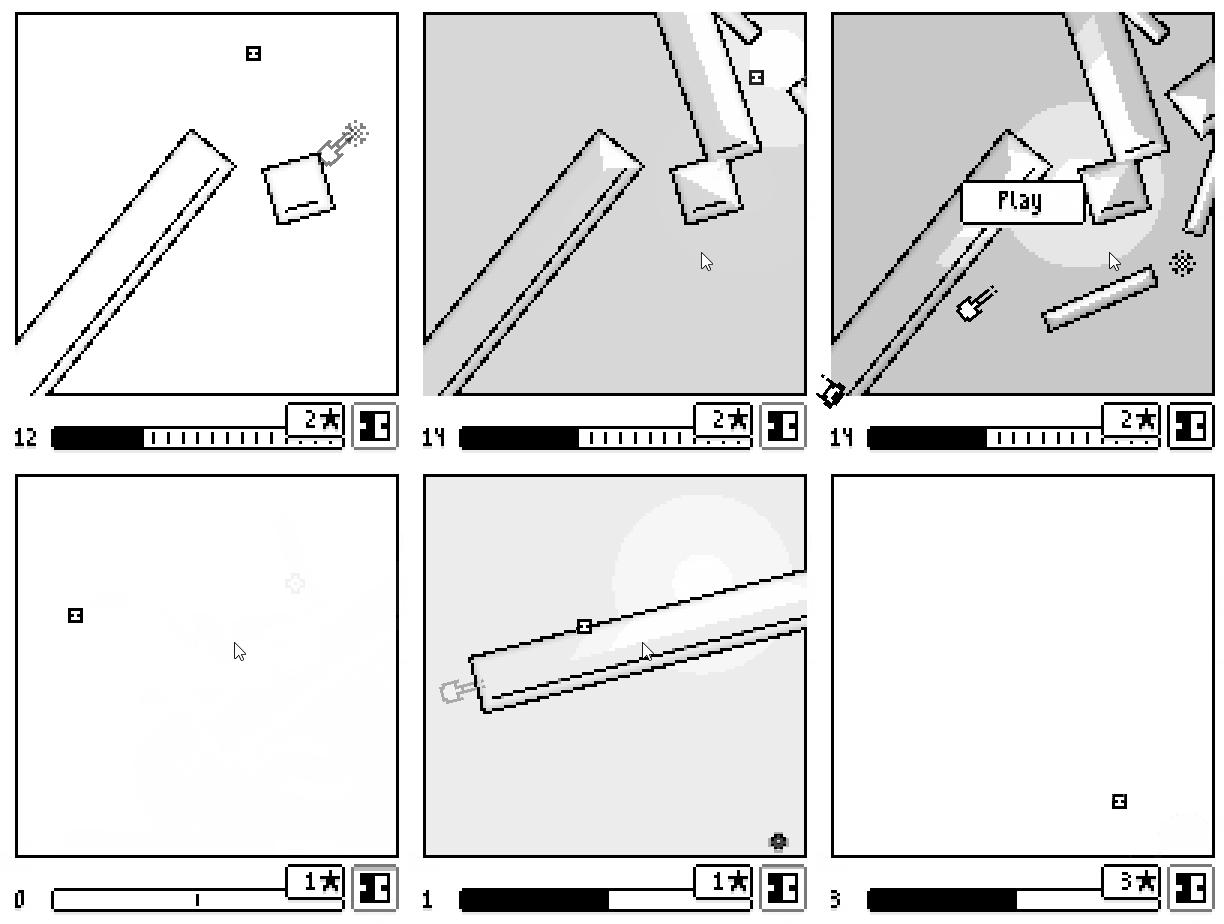
Game introduction
The concept was a bullet-hell game where projectiles push the player rather than dealing direct damage; death occurs only when the player is crushed between objects. I chose Godot for this project to familiarize myself with the engine, and due to the changes in Unity's pricing model that were recent at that time.
I also had become interested in Signed Distance Functions (SDFs) after reading Inigo Quilez's blog, and they seemed like a perfect fit for this game's mechanics.
Why SDFs?
A Signed Distance Function (SDF) is a function that, for any point in space, returns the closest distance to a surface. The "signed" property indicates whether the point is inside (negative distance) or outside (positive distance) the surface.
For a circle centered at the origin, an SDF can look like this:
float sdCircle( vec2 p, float circle_radius )
{
    return length(p) - circle_radius;
}
These functions make collision detection and resolution really simple, you just compute the function at an object's position to check if it is inside an object, and you get the distance by which it needs to be moved for free! Boolean operations on shapes are also straightforward with SDFs. For example, the union of two objects can be found using min(sdfA(p), sdfB(p)). However, it's important to note that some operations can distort the distance field, as detailed by Inigo Quilez.
Inigo Quilez's blog provides SDFs for numerous shapes, including variations that return both the distance and the gradients of the distance field. I use the gradient for collision response and for lighting calculations.
Godot Implementation
SDFs are not commonly used in real-time rendering, as they can get pretty expensive to compute. That is why I opted for a 2D pixel art style approach - my playing field is only 128x128 pixels wide, so I only compute the SDF functions on 16384 pixels.
To maximize performance, I implemented the rendering on the GPU. In hindsight, this approach was likely overkill and introduced several complications.
Rendering
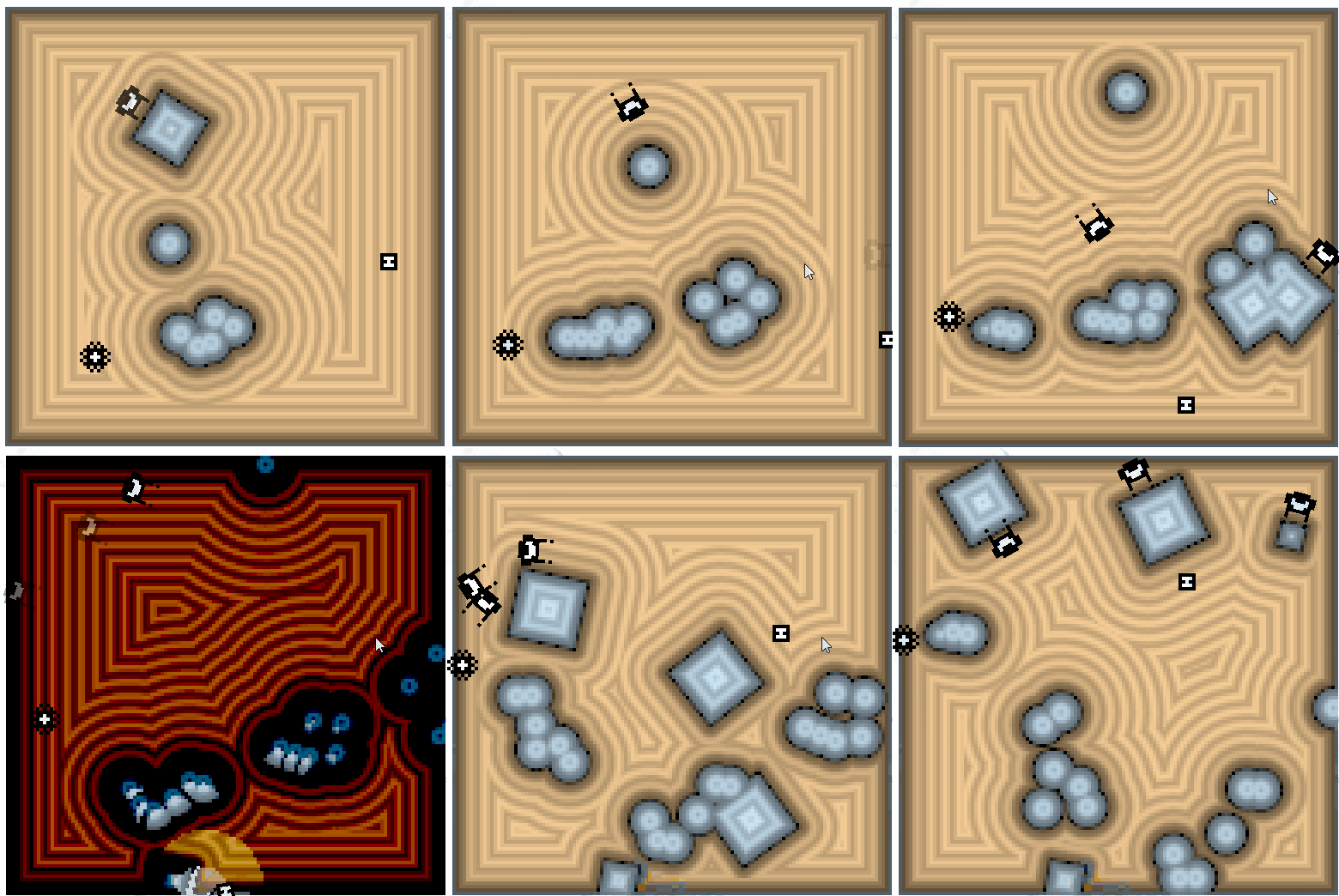
Debug shader showing the distance to the nearest surface at each pixel
Every SDF object is rendered as a single quad that spans the entire playing field. In the vertex shader, each corner is fixed onto the corners of the playing field. This allows passing different parameters to the shader through the transformation matrix, avoiding the need for custom shader uniforms. In the fragment shader, the position, rotation and scale of the object is used as parameters for the distance function. With the distance function computed, it puts the resulting distance into the red channel (remapped to 0-1 range), the gradient into the green and blue channels, and most importantly also puts the distance into the depth map. This acts as the boolean union operation.
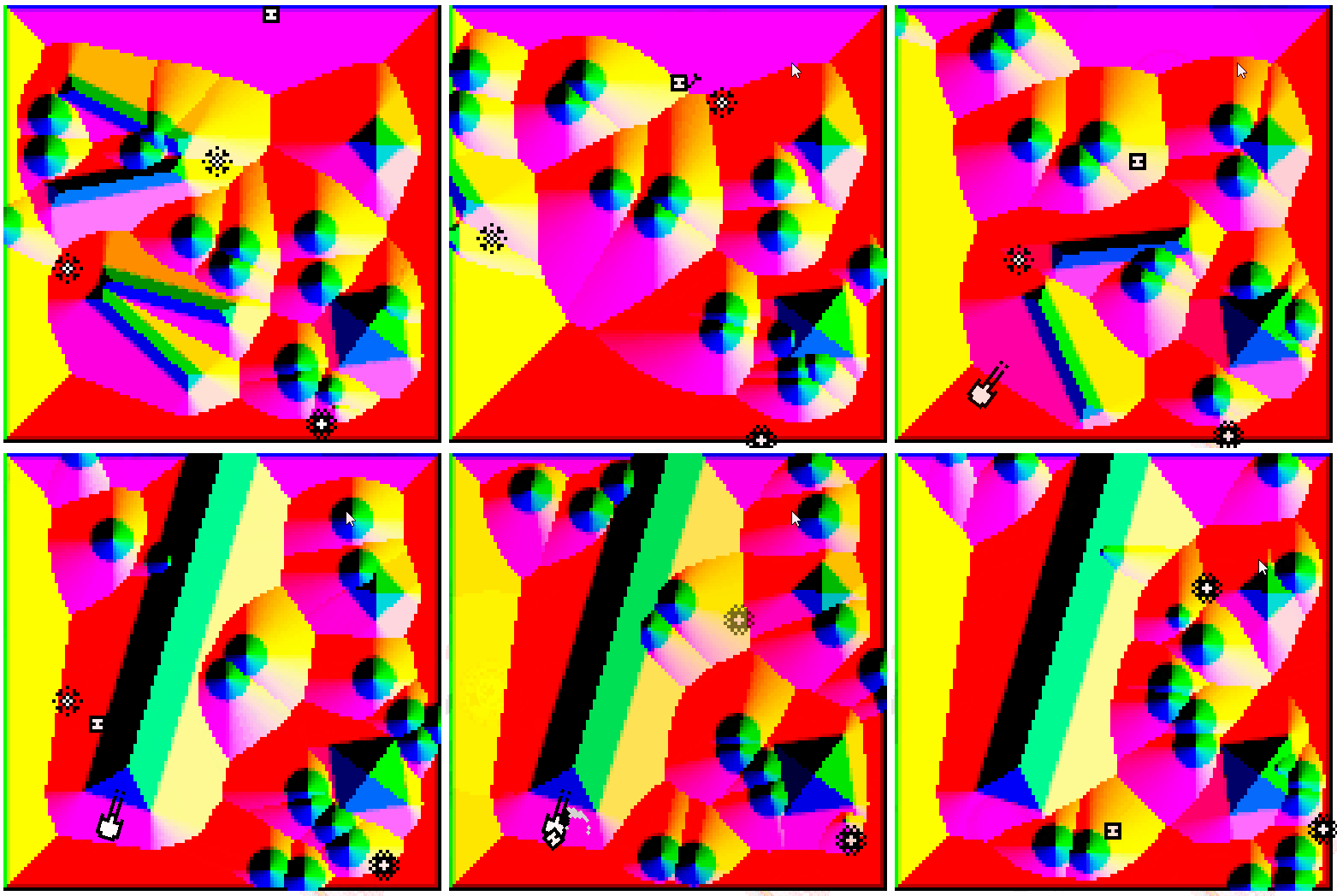
Debug shader showing the gradient at each pixel
Here is the the shader code for an SDF sphere:
shader_type spatial;
render_mode world_vertex_coords, unshaded, cull_disabled;

const float GAME_AREA = 128.0;

const vec3 positions[4] = vec3[](
    vec3(GAME_AREA, GAME_AREA, 0.0), // UV (1 1)
    vec3(GAME_AREA, 0, 0.0), // UV (1 0)
    vec3(0.0, GAME_AREA, 0.0), // UV (0 1)
    vec3(0.0, 0.0, 0.0) // UV (0 0)
);

float remap_to_unit(in float x) {
	x /= GAME_AREA * 2.0;
	x += 0.5;
	return x;
}

void vertex() {
	VERTEX = positions[VERTEX_ID];
}

vec3 sdgCircle( in vec2 p, in float r ) {
    float d = length(p);
    return vec3( d-r, p/d );
}

void fragment() {
    vec3 x_axis = (MODEL_MATRIX * vec4(1.0, 0.0, 0.0, 0.0)).xyz;
    vec3 y_axis = (MODEL_MATRIX * vec4(0.0, 1.0, 0.0, 0.0)).xyz;
	vec3 z_axis = (MODEL_MATRIX * vec4(0.0, 0.0, 1.0, 0.0)).xyz;
	vec2 pixel_pos = FRAGCOORD.xy;
	vec2 obj_pos = NODE_POSITION_WORLD.xy;
    vec2 obj_scale = vec2(length(x_axis), length(y_axis)); // Extract object scale from the transformation matrix
	float obj_rot = degrees(atan(x_axis.y, x_axis.x)); // Extract object rotation from the transformation matrix
	float inverted = dot(z_axis, vec3(0.0, 0.0, 0.1)) < 0.?-1.:1.; // Extra parameter that enables inverted spheres, also passed in the matrix

	vec3 d_g = sdgCircle(pixel_pos-obj_pos, obj_scale.x/2.) * inverted;

	DEPTH = 0.9 - clamp((d_g.x*inverted/GAME_AREA)+0.5, 0., 1.)*0.9; // Distance written into the depth, remapped
	d_g.x = remap_to_unit(d_g.x);
	ALBEDO = d_g;
}
I used 3D spatial shaders because Godot's 2D shaders cannot write to the depth buffer. While using the depth buffer for combining SDFs works for a simple union, it doesn't allow other boolean operations or more advanced techniques like smooth blending. Another drawback of rendering SDFs on the GPU was the need to maintain two versions of each SDF: one in GLSL for rendering and one in GDScript for CPU-side collision logic. The code duplication and the limited functionality of the shader logic is the main reason I consider the rendering architecture I created suboptimal.
After every object is rendered, a final shader uses the depth and normal info to create the black and white pixelated playing field with outlines. Here, SDFs help us once more - they ensure every outline is uniform.
Collision Detection
As already stated, the SDF functions are also present on the cpu-side. A global manager tracks all active SDFs and provides a method to sample the combined distance field at any position. This manager also handles collision resolution. If a point is inside an SDF, it iteratively moves the point along the gradient by the depth at that point for up to 50 iterations. If the point remains inside after all iterations, it is considered 'stuck'. For the player, that means Game Over.
Conclusion
I feel the core concept of a "bullet-pushing" game remains underexplored. I had planned to add abilities that would manipulate the SDFs, such as cutting through obstacles or creating tunnels. However, due to the limitations of my rendering implementation, I only managed to implement a single ability: inverting the playing field to allow the player to pass through projectiles.
I also came to realize that the game was not as much fun as I had hoped, but I still had a lot of fun creating it, so whatever :D